
AI Sound Scene Generator: Create Complete Audio Scenes in One Click
SeedAudio 1.5 generates dialogue, ambience, sound effects, and music together from a single written brief. Skip the multi-tool assembly line and create finished audio scenes in one pass.
What Is an AI Sound Scene Generator?
An AI sound scene generator creates complete audio environments — spoken dialogue, ambient sounds, effects, and music — from a single text prompt. Instead of layering separate tracks yourself, you describe the scene and all its audio elements are synthesized together with cohesive timing and mix.
What SeedAudio 1.5 Generates
Dialogue
Character lines with assigned voices, timing, and emotion
Ambience
Background atmosphere and room tone for the scene
Sound Effects
Actions, impacts, foley, and scene transitions
Music
Underscore, cues, and soundtrack that fits the scene mood
Key Features
How to Generate a Sound Scene in 3 Steps
- 1
Write a brief describing dialogue, ambience, effects, and music together
- 2
Add optional audio or video references to guide style and timing
- 3
Generate and export the complete scene or separate stems
Use Cases
Short Video
Create complete sound for social videos and short films
Games
Prototype NPC dialogue and ambient scenes before production
Podcast & Audiobook
Generate narration with music beds and sound design
Animation
Sketch audio tracks synced to animatics and storyboards
Ads & Commercials
Build voice-over, music, and effects for brand spots
Previsualization
Temp audio for director cuts and client reviews
Example Prompts & Audio Samples
These clips demonstrate the scene-first approach. Each began as one written brief describing dialogue, ambience, effects, and music together.

Street-food market at night
A night food market by the sea. A cheerful stall owner and a young customer trade lines over a sizzling griddle, with far-off scooters, creaking lanterns, and a quiet ukulele underneath.

Brand spot with voice and music bed
A 15-second spot for a fictional coffee roaster. A relaxed female narrator, a kettle pouring, a mug set on wood, and a soft acoustic guitar that rises under the final line.
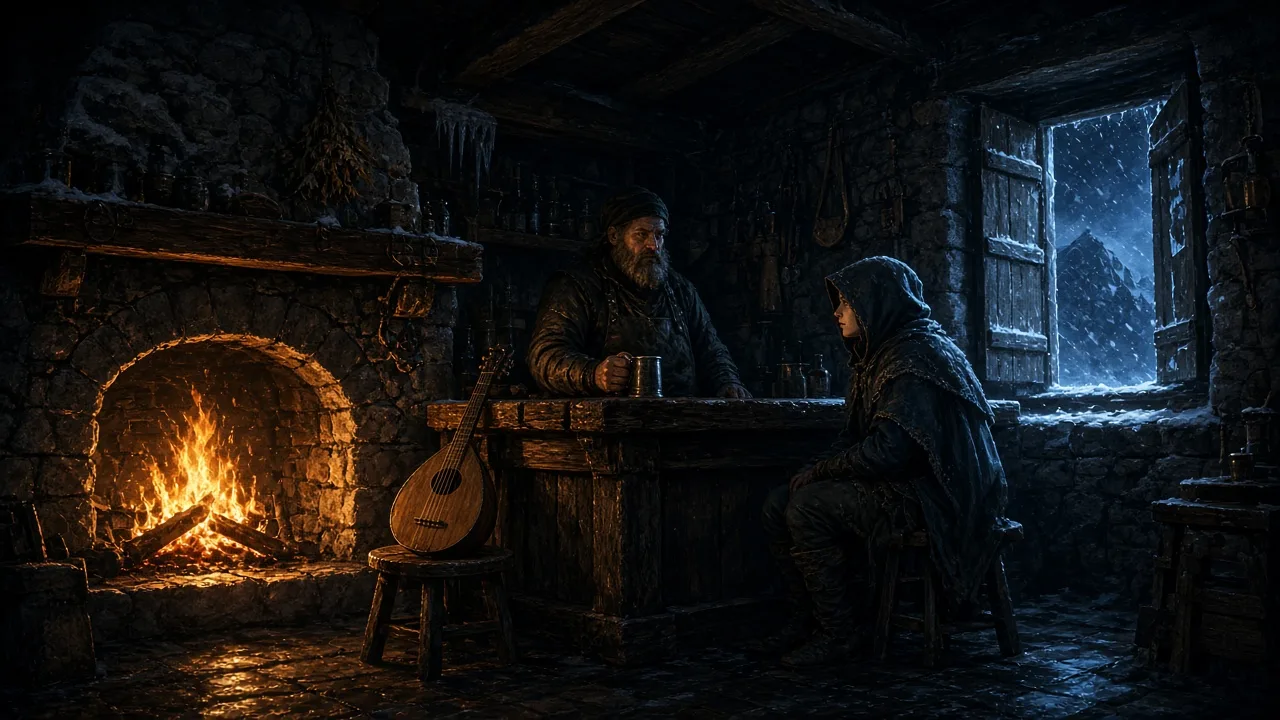
Game scene: the snowbound tavern
A mountain tavern in a snowstorm. A gruff innkeeper tells a nervous traveler the pass is closed, over a crackling hearth, wind on the shutters, and a slow lute in the corner.
SeedAudio 1.5 vs Separate TTS + SFX Library Workflow
Separate Tools
- 1Write dialogue script
- 2Generate voice-over with TTS tool
- 3Search sound effects library
- 4License music track
- 5Mix all layers in DAW
SeedAudio 1.5
- 1Write one scene brief describing dialogue, ambience, effects, and music
- 2Generate complete scene or separate stems
Frequently Asked Questions
- What is a sound scene?
- A sound scene is a complete audio environment that includes all the elements that make a moment feel real: dialogue, background ambience, sound effects, and music. SeedAudio 1.5 generates all these layers together from one written brief.
- Can I generate audio from text only?
- Yes. A text prompt is the primary input. Audio and video references are optional — use them when you want to guide voice style, pacing, or sync to existing footage.
- Can SeedAudio 1.5 follow a video?
- Yes. Video input mode analyzes the footage and generates audio that matches the visual timing, action, and mood. Use it for dubbing or adding sound design to silent video.
- What is the maximum audio length?
- Up to 6 minutes per generation. For longer projects, generate scenes in sections and combine them in your editor.
- What stem export formats are available?
- You can export the full mix or separate stems for dialogue, ambience, sound effects, and music as individual WAV or MP3 files for further editing.
- What languages are supported?
- SeedAudio 1.5 supports 30 languages and regional variants, including English, Spanish, French, German, Italian, Portuguese, Chinese, Japanese, Korean, and more.
- Can I use generated audio commercially?
- Commercial use depends on your subscription plan and our Terms of Service. Review the license terms for your account before publishing or monetizing generated audio.
- Is there a free trial?
- Yes. Sign up for free credits to test the generator. See the Pricing page for current offers and credit amounts.
- How is this different from TTS?
- Text-to-speech creates only spoken words. SeedAudio 1.5 generates dialogue plus ambience, effects, and music together, with timing and mix that fit the scene. It's closer to a sound designer's full workflow than a voice synthesizer.
AI Sound Scene Generator: Create Complete Audio Scenes in One Click
SeedAudio 1.5 generates dialogue, ambience, sound effects, and music together from a single written brief. Skip the multi-tool assembly line and create finished audio scenes in one pass.